
Spinaud in Your Pocket
We built the Spinaud app so the full lobby, from Book of Dead to live Evolution tables, fits on your phone. A 100% match works simply: deposit 50 AUD and you play with 100 AUD, and we show the wagering maths before you tap a single button.

Spinaud App: A Practical Introduction
What the app does, what you can play, and how to read the numbers before you deposit.
We are Spinaud, and our app puts the whole site in your pocket: casino, live dealer tables, poker, slots and sports betting, all priced in AUD. The game library comes from Evolution, Pragmatic Play, NetEnt and Push Gaming, so the titles you know from desktop run the same way on a phone screen. Gates of Olympus, Book of Dead and Starburst are among the most played.
Think of the welcome offer as a simple sum. It is a 100% match plus 100 free spins, so a deposit of 50 AUD gives you another 50 AUD in bonus funds, 100 AUD in total. Before you claim it, check the wagering multiplier in the terms. If a bonus carried 30x wagering on 50 AUD, you would need to place 1,500 AUD in bets before withdrawing. Doing that sum first tells you whether the offer suits how you play.
Payments work in the app too. You can use Visa, Mastercard, Skrill, Neteller and Paysafecard, or crypto such as Bitcoin, Ethereum, Litecoin, TRON and USDT. If something goes wrong, live chat, email and phone support are a tap away.
Spinaud Mobile Site vs App: Which One Suits You
Two ways to play on your phone, compared side by side.
You can reach Spinaud from a phone in two ways: through the mobile browser site or the installed app. Both use the same account and the same AUD balance, and they run the same lobby of Evolution, Pragmatic Play, NetEnt and Push Gaming titles. A spin on Gates of Olympus pays out by the same rules on either one, so your choice does not change the odds.
What does change is the practical side. A short lesson from the classroom: if a game loads 2 seconds faster and you play 50 rounds, you save more than a minute and a half. For a quick session that matters less. For long live dealer sessions with Evolution tables it adds up. The table below lays out the differences so you can pick the option that fits how you play.
| Feature | Mobile site | App |
|---|---|---|
| Installation | None, open in any browser | One-time download and install |
| Storage used | Almost none | Takes some space on your device |
| Loading speed | Depends on browser and connection | Faster, key files stored on the phone |
| Game library | Full casino, live, slots, poker and sports | Same full library |
| Welcome offer | 100% bonus + 100 free spins | 100% bonus + 100 free spins |
| Payments | Visa, Mastercard, Skrill, Neteller, Bitcoin, USDT and more | Same methods |
| Login | Enter details or use saved browser login | Stay signed in, quick access from home screen |
| Notifications | Not available | Optional alerts for promotions |
| Updates | Automatic, always the latest version | Occasional app updates |
| Support | Live chat, email, phone | Live chat, email, phone |
Downloading Spinaud on Android
Install the APK in a few minutes and play the full lobby on your phone.
Google Play doesn't list most real-money casino apps, so Spinaud for Android comes as an APK file from our own site. That sounds technical, but it works like any other download. You get one file, you approve it once and the app installs.
The app opens the same lobby as the desktop site. Gates of Olympus, Book of Dead and Starburst load in portrait or landscape, and Evolution live tables adjust to the screen size. The welcome offer works the same on the app: a 100% match plus 100 free spins. Here is the maths. Deposit 50 AUD and you get another 50 AUD, so you play with 100 AUD. Check the wagering terms before you count that money as yours.
You can pay with Visa, Mastercard, Skrill, Neteller, Bitcoin, USDT and more, all from the cashier inside the app.
Go to our site in your phone's browser and tap the Android download button at the top of the menu.
Android will ask if Chrome can install unknown apps. Allow it for this download only, then switch it off afterwards if you like.
Open the APK from your downloads bar and tap Install. It takes a few seconds on a normal connection.
Launch the app, sign in or register, and your balance and bonuses carry over from the website.
Installing Spinaud on iOS
Put Spinaud on your home screen in about a minute, with no App Store download needed.
On iPhone and iPad, Spinaud runs as a web app that you save to your home screen through Safari. You won't find it in the App Store, and you don't need it there. Once it's saved, the icon opens in its own full-screen window, just like a native app.
Here's why this is practical. The web app takes up almost no storage, maybe a few megabytes of cache, while a typical casino app takes 150 MB or more. Updates also happen on our side, so new games such as Gates of Olympus or the latest Evolution live tables show up the next time you open it. Your AUD balance, bonus progress and wagering tracker sync with your account, so you can start a session on your phone and finish it on a laptop without losing your place.
Go to the Spinaud website in Safari. Other iOS browsers don't always offer the home screen option.
It's the square with an upward arrow, found at the bottom of the screen on iPhone or at the top on iPad.
Scroll down the menu, tap the option, keep the name Spinaud and confirm with Add.
Tap the new icon, sign in once and turn on Face ID if you'd like quicker access next time.
Everything the Spinaud App Can Do
The full casino and sportsbook in your pocket, with the same balance, bonuses and support.
Play Gates of Olympus, Book of Dead and Starburst from Pragmatic Play, NetEnt and Push Gaming. On a 96% RTP slot, every 100 AUD you wager returns about 96 AUD on average over the long run.
Evolution streams blackjack, roulette and game shows in portrait mode. Bet limits show before you sit down, so you know your stake per hand.
Switch from casino to sportsbook in one tap. Decimal odds of 2.50 on a 10 AUD bet return 25 AUD, and the app shows that figure on your bet slip.
Use Visa, Mastercard, Skrill, Neteller or Paysafecard, or pay with Bitcoin, Ethereum, Litecoin, TRON and USDT. The cashier is built for small screens.
Claim the 100% match and 100 free spins, then follow your wagering progress. If you need 3,000 AUD in turnover and have played 1,200 AUD, the bar shows 40%.
Live chat opens inside the app, and you can still reach us by email or phone if a question needs more detail.
Spinaud App Screenshots
Six screens from the live Spinaud app, so you know what you get before you install it.
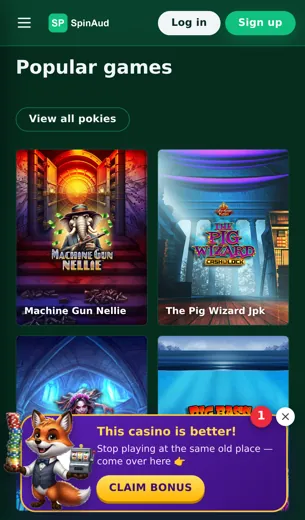
We put these screenshots here so you can check the layout before you download anything. Each image comes from the live app on a standard phone. A quick tour takes about a minute, and it is quicker than installing the app just to have a look.
Start with the lobby. Slots, live tables, poker and sports betting each have a tab, so Gates of Olympus or Book of Dead is one or two taps away. The live casino screen shows Evolution tables with the minimum bet on each tile. That matters: a table with a 1 AUD minimum and one with a 25 AUD minimum suit very different bankrolls.
The cashier screen lists Visa, Mastercard, Skrill, Neteller, Paysafecard and crypto options such as Bitcoin, Ethereum, Litecoin, TRON and USDT. The bonus screen tracks wagering as you play. Here is a simple example. Say you deposit 100 AUD, get the 100% match, and the bonus has a 35x requirement. You then need to bet 3,500 AUD before you can withdraw it. Seeing that number on screen is far clearer than working it out from the terms.
The last screen is the support menu, with live chat, email and phone listed together.
First Deposit Bonus
How the 100% match and 100 free spins work when you start in the app
Your first deposit in the Spinaud app is matched 100%, and you also get 100 free spins. The match part is simple to work out. Deposit 50 AUD and we add 50 AUD in bonus funds, so you play with 100 AUD. Deposit 200 AUD and you play with 400 AUD.
Bonus money comes with a wagering requirement. That is the total amount you have to bet before you can withdraw any winnings from it. Here is an example with made-up numbers: if the bonus is 50 AUD and the requirement is 30x, you need to place 1,500 AUD in bets. At 1 AUD per spin, that is 1,500 spins. Always check the multiplier in the promo terms, because that one number tells you whether the offer is good value.
The free spins are usually tied to popular slots like Gates of Olympus or Book of Dead. You can fund your account with Visa, Mastercard, Skrill, Neteller, Paysafecard or crypto such as Bitcoin, Ethereum and USDT.
- Match rate: 100% of your first deposit
- Extra: 100 free spins
- Read the wagering multiplier before you deposit
Spinaud App FAQ
Short answers on installing, paying and playing on your phone.
Is there a Spinaud app for iPhone and Android?
Yes. On both systems you open the site in your mobile browser and add it to your home screen. It then opens full screen like a native app, and nothing comes from an app store.
Can I claim the welcome bonus on mobile?
Yes. The 100% match and 100 free spins work the same on the app as on desktop. Deposit 50 AUD and you play with 100 AUD.
How does wagering work, in simple terms?
Take a 20 AUD bonus with a 30x requirement as an example. You would need to place 600 AUD in total bets before you can withdraw it. Always check the current terms, because the multiplier decides how much you have to bet.
Which games run well on the app?
Gates of Olympus, Book of Dead and Starburst load quickly on phones. We also carry titles from Pragmatic Play, NetEnt, Push Gaming and Evolution.
Can I play live dealer games on my phone?
Yes. Evolution tables stream in portrait or landscape. A steady Wi-Fi or 4G connection keeps the video smooth.
Is sports betting available in the app?
Yes. Sports, casino, slots, live tables and poker all sit in one account with one balance.
Which payment methods can I use?
Visa, Mastercard, Skrill, Neteller, Paysafecard, and crypto: Bitcoin, Ethereum, Litecoin, TRON and USDT (Tether).
Are crypto withdrawals faster?
Usually, yes. Once we approve a payout, it only has to wait for blockchain confirmations. Card payouts depend on your bank.
Is the app licensed?
Spinaud runs under a Curaçao eGaming licence. You can find the full details in the licence section at the bottom of the page.
How do I contact support from the app?
Live chat sits in the app menu. You can also reach us by email or phone.
Does the app use much data?
Slots use little data. Live dealer streams use the most, so connect to Wi-Fi for long sessions.